
DMARC Reporting See Who Sends as Your Domain
Collect DMARC aggregate reports from mailbox providers and turn raw XML into a clear view of every source sending as your domain — and whether it passes.
Available on: All plans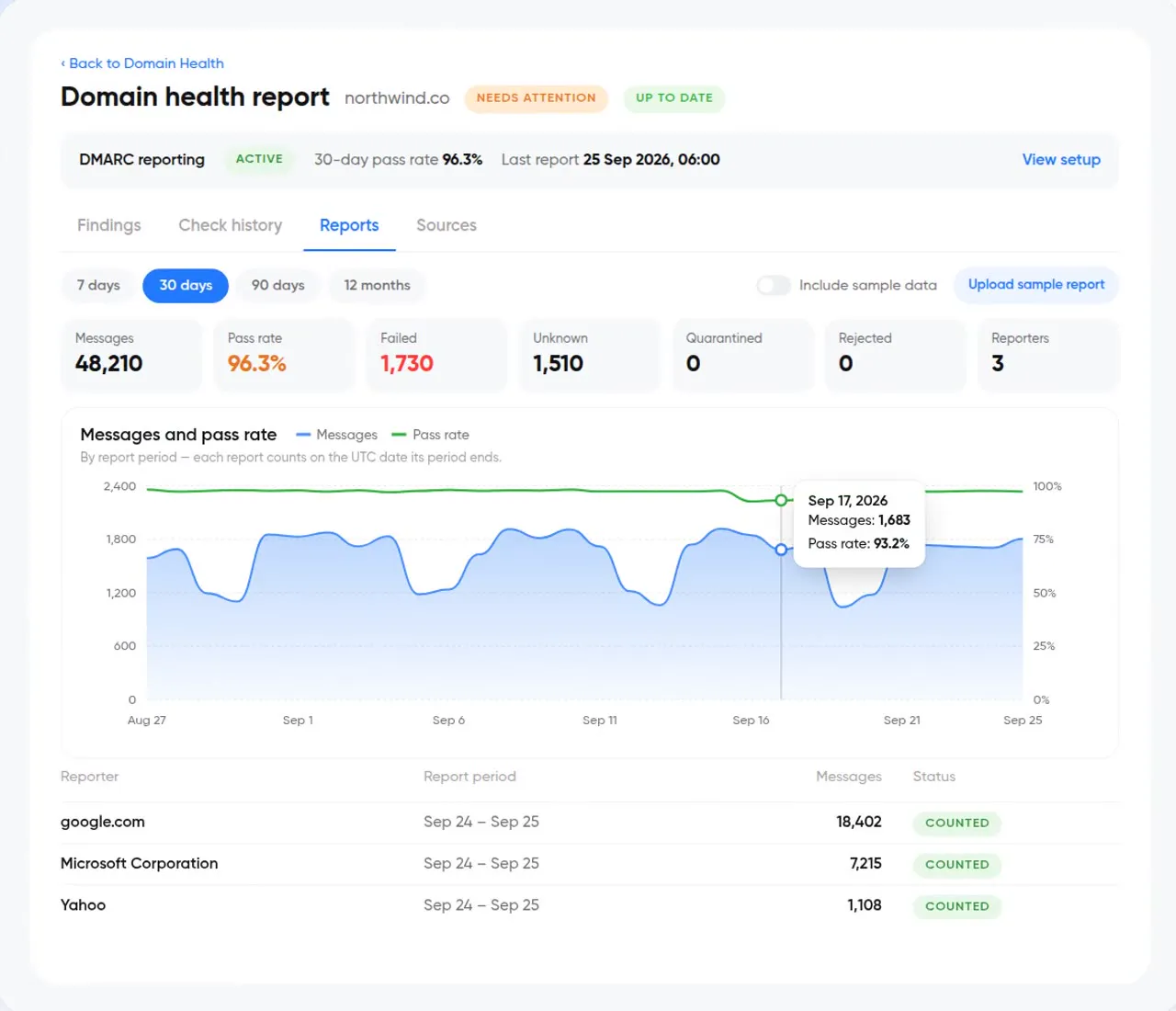
What is DMARC Reporting?
DMARC aggregate (RUA) reports are daily XML summaries mailbox providers send to the address in your DMARC record. InboxPlease collects them once your reporting address is verified and summarises them by sending source and authentication result.
- DMARC aggregate (RUA)
- Verify your reporting address
- Sending source and SPF/DKIM result
- Domain Health for record checks
Getting to enforcement
- 01
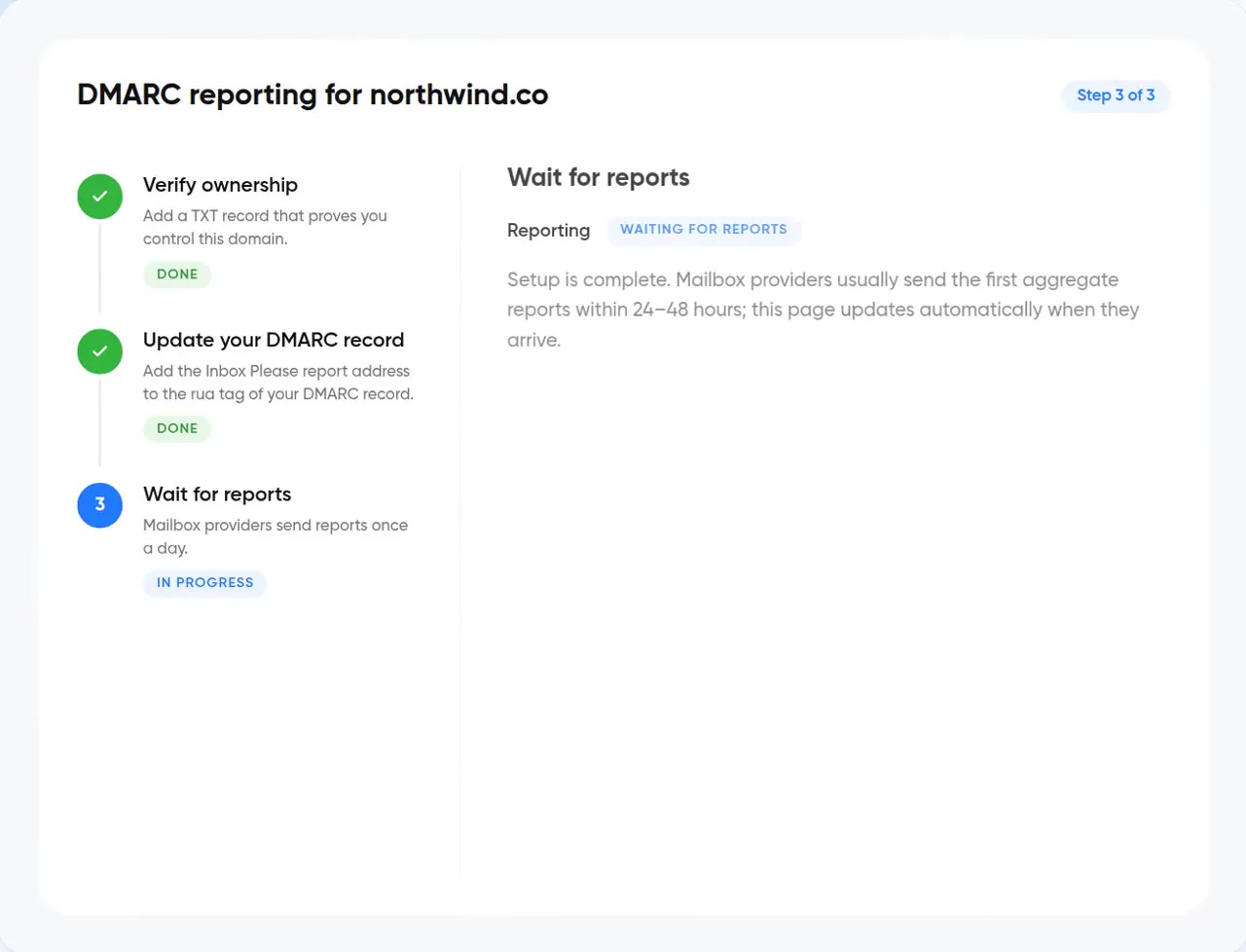
Point reports to InboxPlease
Add the reporting address to your DMARC record and verify it.
- 02
Find every sender
See each service sending as your domain and whether it's aligned.
- 03
Move to enforcement
Fix legitimate senders, then tighten policy from p=none toward quarantine or reject.
From raw XML to decisions
Source breakdown
Every IP and service sending as your domain, grouped and named.
Alignment results
SPF and DKIM pass, fail and alignment per source.
Spoofing visibility
Unrecognised sources sending as you are surfaced, not buried.
Verified reporting address
Reporting starts once your address is verified — no inbox full of XML.
Questions about DMARC Reporting
What is a DMARC aggregate report?
A daily XML summary from mailbox providers showing which sources sent mail as your domain and whether it passed authentication.
Do I need DMARC set up already?
You need a DMARC record that includes a reporting (rua) address. Domain Health will tell you if yours is missing or misconfigured.
Works well with
All features →See who's sending as you
Start a 14-day free trial. No credit card required.