
Domain Health Every Record Providers Check, Continuously
Continuous SPF, DKIM, DMARC and MX checks for every domain you send from — each finding backed by the evidence it came from, with a full scan history.
Available on: All plans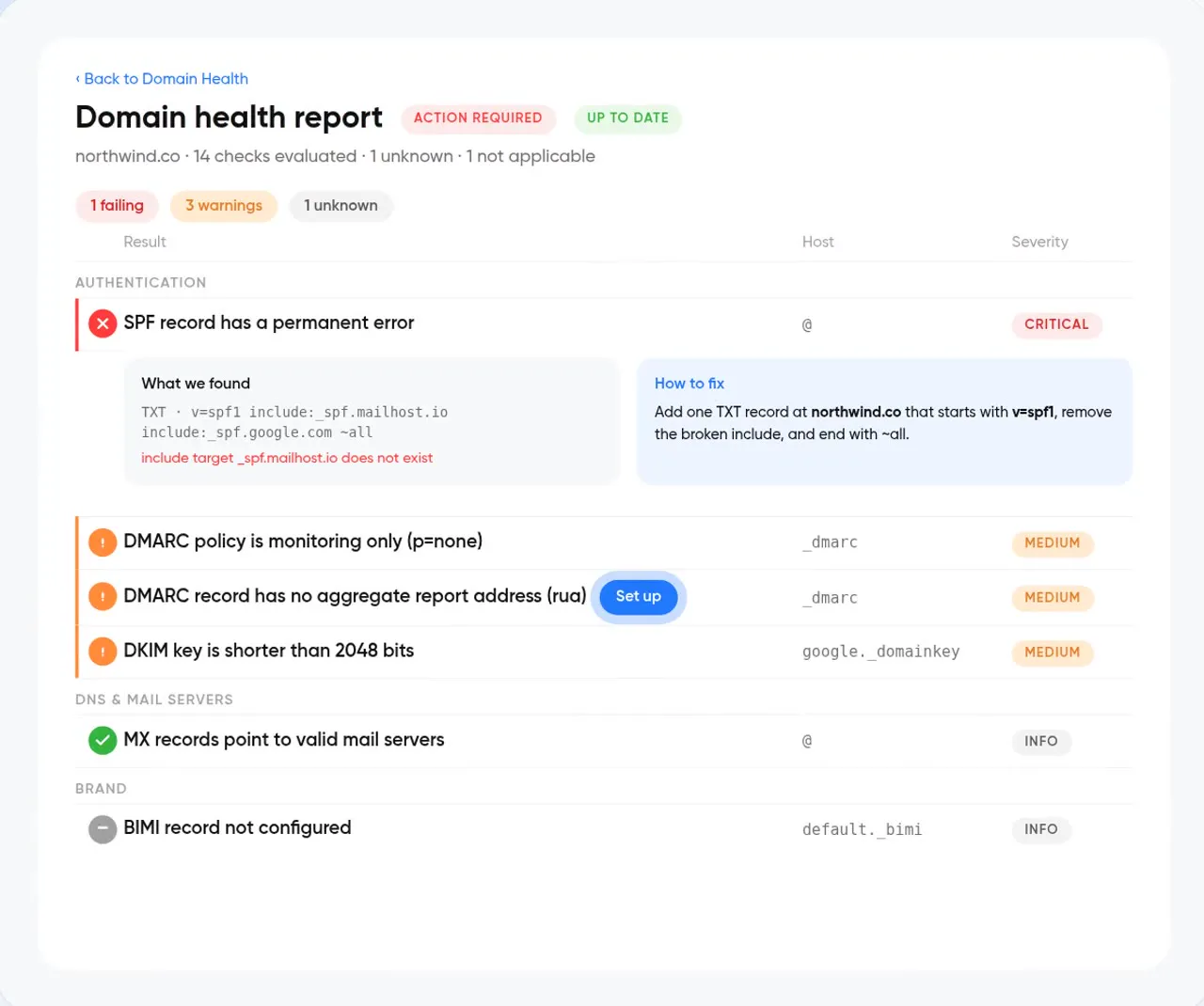
What is Domain Health?
Domain Health is InboxPlease's authentication monitor. It resolves the DNS records mailbox providers use to decide whether to trust your email — SPF, DKIM, DMARC and MX — evaluates them against published standards, and reports each finding with the record it came from. Scans re-run on a schedule and every result is kept in the domain's scan history.
- SPF, DKIM, DMARC, MX
- Every finding links to the raw record
- Every scan kept, per domain
- Free (1 domain) · Pro (3) · Enterprise (unlimited)
- REST API and MCP (get_domain_health)
From scan to fix
- Step 01
Add your domain
Add the domains you send from — no DNS changes needed to start.
- Step 02
Review findings
Each issue is graded and shown with the exact evidence behind it.
- Step 03
Fix and re-scan
Update DNS, re-scan, and watch the finding clear in your history.
Findings you can act on
Findings table
Every issue across SPF, DKIM, DMARC and MX in one sortable view, graded by severity.
Evidence panel
Click a finding to see the exact DNS record and why it passed, warned or failed.
Scan history
Track every change to your records over time — spot the moment something broke.
DKIM rotation checks
Catch expired or rotated keys before they fail authentication in production.
DNS analysis
A, MX, NS, TXT records analyzed for configuration issues.
Alerts
Get notified when a scheduled scan finds a new issue.
Questions about Domain Health
What does Domain Health check?
Domain Health checks the DNS records mailbox providers use to trust your mail — SPF, DKIM, DMARC and MX — and reports each finding with the evidence behind it. Scans re-run on a schedule and every result is kept in your scan history.
Do I need to change DNS to use it?
No. Domain Health reads your public DNS records. You only change DNS when you decide to fix a finding.
Works well with
All features →Is your domain configured correctly?
Start a 14-day free trial. No credit card required.